














 Login
Login
Videoloft helps businesses move beyond basic remote viewing with cloud video storage, multi-site CCTV management, secure user access and support for compatible existing cameras.

Yes. Videoloft is a practical Hikvision Hik-Connect alternative for businesses that want to manage Hikvision cameras alongside other compatible camera brands.
Hik-Connect (Team Mode) provides remote viewing, multi-site management and user controls for Hikvision systems. Videoloft is worth comparing if you need cloud video storage, flexible retention, optional video analytics and one cloud VMS for compatible cameras across one or many locations.
Choosing between Videoloft and Hik-Connect depends on your cameras and the capabilities you need. Hik-Connect provides remote monitoring and business management tools for Hikvision systems. Videoloft is worth comparing if you need cloud video storage, support for mixed camera brands, flexible retention and optional analytics in one cloud VMS.
| What you need | Videoloft | Hik-Connect |
|---|---|---|
|
Best fit |
Businesses that want one cloud VMS for compatible cameras and recorders from different brands, with cloud storage, remote access and multi-site management. |
Businesses primarily using Hikvision security devices that want remote monitoring and centralized management through Hik-Connect.
|
|
Main use case |
Managing CCTV footage, users, alerts and storage across one or multiple business locations. |
Viewing live and recorded video from Hikvision devices through the Hik-Connect app. |
|
Cloud video storage |
Adds cloud video storage and remote access to compatible CCTV systems. |
Offers cloud storage through the Hik-Connect app, where available, but buyers should check availability, plans and suitability for business use. |
|
Multi-site management |
Helps teams manage cameras, users, footage and alerts across multiple locations from one cloud platform. |
Team Mode supports centralized management across multiple locations. |
|
User permissions
|
Designed for business use, with user roles and permissions to control who can view, manage, share or access footage. |
Team Mode supports multiple users, defined roles and permissions for different locations and devices. |
|
Footage sharing
|
Makes it easier to access, review and share footage securely when incidents, claims or investigations happen. |
Lets users download video clips to their phone for sharing. Camera access can also be shared with other Hik-Connect accounts, but there is no simple option to share footage through a secure web link. |
|
Camera compatibility
|
A strong fit for businesses using Hikvision alongside other compatible camera brands. |
Best suited to businesses using only Hikvision devices. |
|
Business scalability
|
Built for organizations that need cloud storage, multi-user access, multi-site visibility and flexible retention. |
Team Mode is designed for businesses and multi-site deployments, with centralized management, multiple users and subscription-based services. |
|
Analytics flexibility
|
Optional analytics can be added where needed, including Smart Motion, LPR, people counting and PPE detection. |
Hikvision offers analytics across some cameras, recorders and software options, but buyers should check which features are available for their devices and setup. |

Videoloft gives businesses a cloud VMS for managing CCTV, not just accessing cameras remotely. Teams can view cameras, find footage, manage users and access cloud recordings from one platform.

Videoloft helps businesses back up CCTV footage to the cloud, making it easier to access important video even if local storage is damaged, unavailable or difficult to reach.

For businesses with more than one location, Videoloft makes it easier to manage cameras, users, footage and alerts across sites without logging into separate systems or relying only on local recorders.
Videoloft is a strong fit for businesses that use Hikvision cameras alongside other compatible brands. This gives teams a more flexible way to manage cloud video across mixed camera estates.
The Videoloft Cloud Adapter connects compatible cameras and recorders to the Videoloft cloud platform, helping businesses add cloud video storage, remote access and video management without replacing their whole CCTV setup.
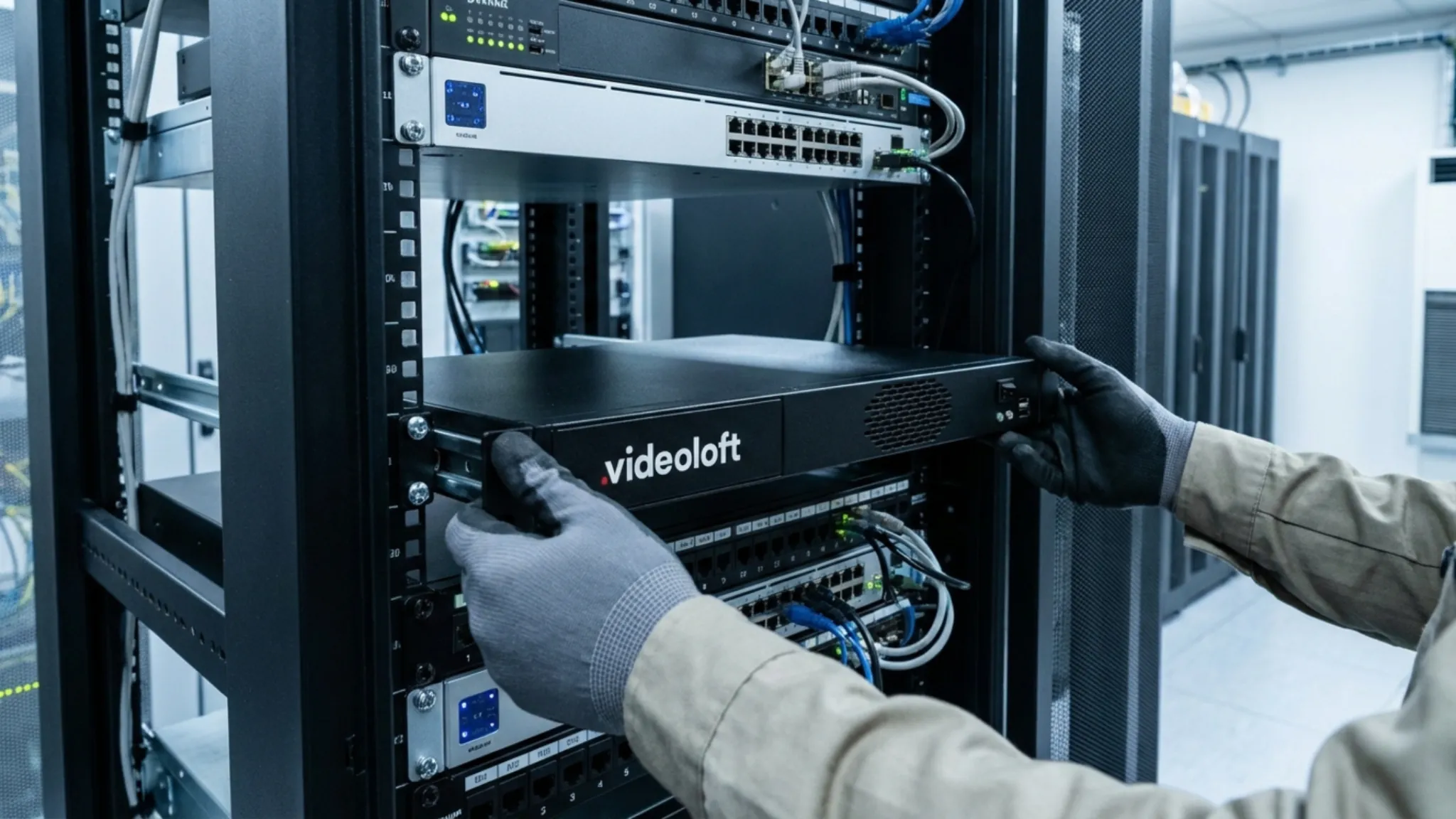
The right choice depends on your existing devices and how you want to manage video across your business.
Videoloft may be a better fit if you want to bring compatible cameras from different manufacturers into one cloud VMS.
It provides centralized video management, cloud storage, remote access, user permissions, footage sharing and optional analytics across one or many locations. It can also be added to existing CCTV systems without replacing compatible cameras and recorders.
Consider Videoloft if flexibility across camera brands is more important than staying within one manufacturer’s ecosystem.
Hik-Connect may be a better fit if your business mainly uses Hikvision devices and wants to manage them within the Hikvision ecosystem.
Alongside live view and playback, Hik-Connect Team Mode supports multiple locations, user roles, alerts and cloud services. It can also bring video surveillance together with compatible Hikvision access control, intercom and attendance products.
Consider Hik-Connect if you have a largely Hikvision-based system and want broader management of Hikvision security devices from one platform.
Videoloft lets businesses add AI analytics where they create value, rather than making analytics the starting point for every camera or site.
Alongside cloud video storage, remote access and multi-site CCTV management, Videoloft supports analytics including Smart Motion Alerts, license plate recognition, people counting and PPE detection. This means businesses can start with the cloud VMS features they need most, then add analytics for specific cameras, locations or use cases over time.
Hikvision also offers analytics across some devices and software options, so the key question is whether the analytics you need fit your cameras, storage setup, user workflows and day-to-day CCTV management.
Help monitor whether required protective equipment is being worn in relevant environments.
Understand footfall and occupancy trends across business locations.
Capture and search vehicle plate data for sites where vehicle access, parking or perimeter monitoring matters.
Focus on the events that matter with alerts for specific activity, such as zone intrusion, zone exit, zone detection or line crossing.
If you are looking for a secure and easy-to-use Hik-Connect alternative, Videoloft is worth comparing on cloud storage, user permissions, multi-site management, camera compatibility and footage access.
Yes. Videoloft is an affordable Hik-Connect alternative for businesses that want to use their existing compatible cameras and recorders.
Pricing is based on the features and cloud storage required, with no need to replace an entire CCTV system. This makes it particularly suitable for multi-site businesses and those managing a mix of camera brands.
Videoloft is a cloud video management system that works with a range of compatible camera brands, making it useful for businesses with mixed or existing CCTV systems.
Hik-Connect is primarily designed for managing Hikvision devices. Both offer remote viewing, multi-site management and user controls, but Videoloft provides flexible cloud storage and optional video analytics within one cloud VMS.
The best cloud storage service depends on your cameras, retention needs, sites and user requirements. Videoloft is worth comparing if you want cloud video storage with business VMS features such as multi-site access, user permissions, alerts, sharing and optional analytics.
Yes. Videoloft works with many compatible Hikvision cameras and recorders, helping businesses add cloud storage, remote access and video management to existing CCTV systems.
Compatibility should always be checked before rollout, especially if you have a mix of camera models, recorders or firmware versions.
Yes. Videoloft helps businesses manage cameras, users, footage and alerts across multiple locations from one cloud platform.
This makes it useful for businesses that want centralized CCTV access across offices, stores, warehouses, construction sites, managed properties or other locations.
Yes. Videoloft works with many compatible camera and recorder brands, making it a strong option for businesses that use Hikvision alongside other CCTV brands.
This is useful when a business wants one cloud VMS across a mixed camera estate rather than separate tools for different sites or devices.
Compare the areas that affect day-to-day CCTV management, not just whether remote viewing is available:
hello@videoloft.net
Toll-free US: (855) 737-0237
UK: +44 203 9870133
+44 753 280 1187
For more information, contact us directly or fill in your details using our quick form and a representative of our global sales team will be in touch.

We value your privacy and take data protection seriously. We will never share or sell your personal data to third parties. Your trust is important to us, and we’re committed to safeguarding your information.